
Stack Ball - Crash Platforms
CASUAL AZUR GAMESArcade
4.521.19K Reviews
- Version
- 1.2.38
- Installs
- 500.00M
- Age Rating
- Everyone
Screenshots
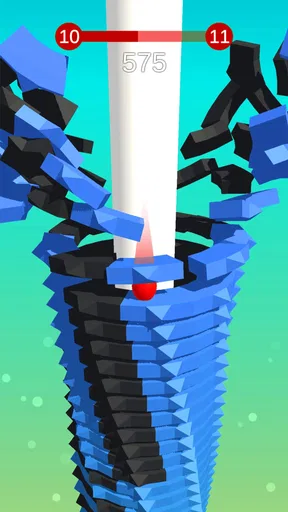
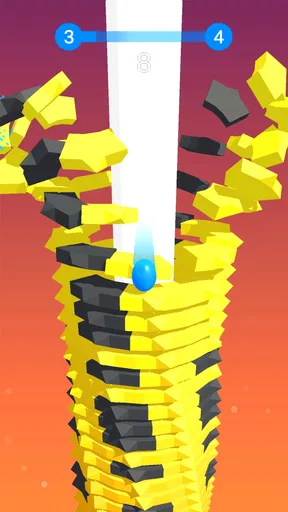
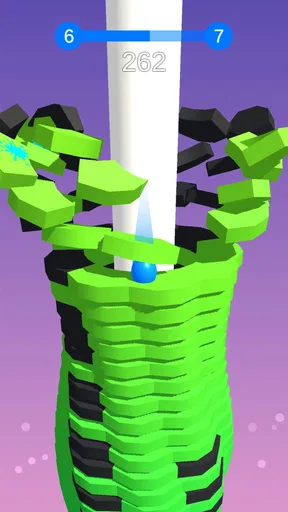
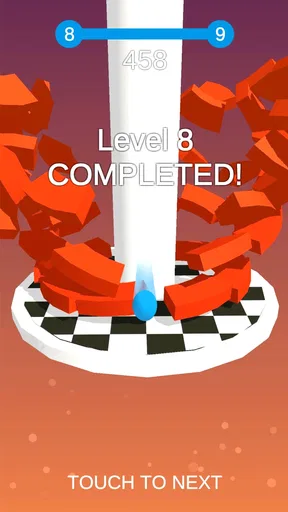
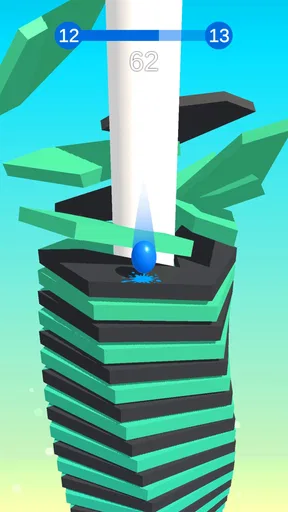
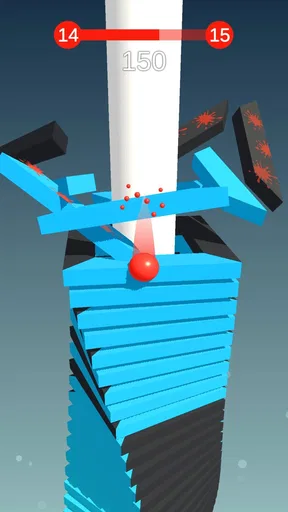
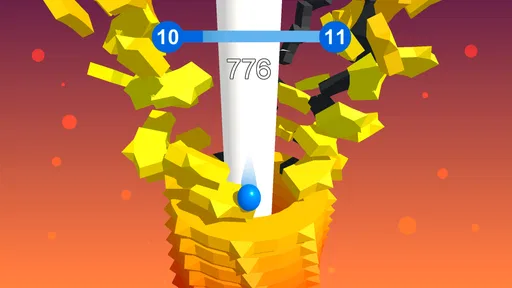
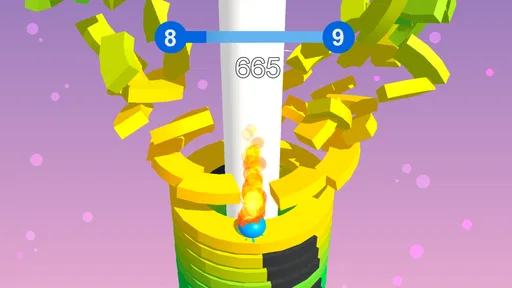
Our Review of Stack Ball - Crash Platforms
 Analysis by Appyee
When I pick up Stack Ball - Crash Platforms, I know what kind of session I’m getting: a ball, a tower of platforms, and a timing decision that can end a run in an instant. That makes it easy to try while waiting for a coffee or sitting through a short break. It also means the game asks for more than a casual glance; if I stop paying attention while holding the screen, I can lose progress quickly.
Where a run tends to go wrong
The basic rule is easy to understand: guide the bouncing ball down through the spiral platforms, break through the safe sections, and avoid the black ones. The tricky part is judging when to keep pressing and when to let go. Holding for too long can carry the ball into danger, while tapping cautiously may leave you navigating one platform at a time. I find it useful to treat each run as a rhythm and timing exercise rather than a game where holding down is always the best move.
The most frustrating moment is often a mistake that feels avoidable. A quick look away, a delayed reaction, or a press that lasts longer than intended can turn a promising descent into a restart. That is part of the appeal for players who enjoy short, tense attempts, but it can be irritating if you want a forgiving experience that lets you recover from errors. The simple controls make the game accessible; they do not remove the need to focus.
It also helps to set expectations before opening it. This is an arcade game built around immediate action, not a story-led experience or a deep collection of systems to learn. I would choose it when I want a compact challenge, not when I am looking for long-term planning, exploration, or a detailed sense of progression. Knowing that distinction makes the quick retries feel like the point rather than a failure to offer something bigger.
Before you start playing
Stack Ball is free to download, and its age rating is Everyone, so it is an approachable option for a wide range of players. CASUAL AZUR GAMES is the developer. The game has a 4.4 average from around 1.1 million ratings, with over 500 million installs, which makes it a familiar choice in mobile arcade gaming rather than an obscure experiment. Those figures tell me it has broad reach, though they cannot decide whether its particular pace and restart loop will suit you.
On the practical side, the current version is 1.2.26, and the stated minimum operating system is Android 7.0. If the game does not open or behaves poorly, I would first check that the device meets that requirement, then confirm that the game and operating system are up to date and restart the app. These are ordinary checks, not a guarantee that they will fix every issue, but they are a sensible first step before assuming the gameplay itself is at fault.
There are in-app purchases, with listed items ranging from $1.99 to $4.99. I would keep that in mind if you are setting expectations for a child or prefer games with no optional spending. The core description presents a simple ball-and-platform challenge, so I would not download it on the assumption that purchases are necessary to understand the basic appeal. If you do not want to make purchases, check your device’s purchase controls before handing it to someone else.
Making short sessions work
This game fits best into breaks when I can give it my eyes and one hand for a little while. A realistic example is waiting for a bus: I can try a run, stop between attempts, and put the phone away when the bus arrives without needing to remember a complicated objective. It is less suitable while walking, crossing a street, or doing anything that needs attention elsewhere. The game’s quick access is convenient, but its timing demands make distracted play a poor bargain.
One useful habit is to decide in advance whether a session is for relaxation or for improving your timing. If I want to unwind, I avoid treating every failed run as something I must immediately win back; a short pause keeps a small arcade game from turning into an annoying loop. If I want a challenge, I pay attention to the moments just before a mistake: was I holding too long, or reacting too late? That simple self-check gives each retry a purpose without requiring a complicated strategy guide.
Another practical trade-off is sound and attention. The crashing effects add to the satisfaction of breaking through platforms, but the visual action is already central to play. In a quiet shared space, I would keep the sound low or off if the device allows it; in a noisy setting, I would avoid relying on sound cues and focus on the screen. Either way, the game works best when the phone is positioned comfortably and the display is easy to watch, rather than when I am trying to play from an awkward angle.
What to do after an interruption
A phone call, notification, or app switch can break the concentration this game relies on. When I return, I do not assume that a run is still active or that the game has preserved a particular point; I check what is on screen before tapping. If the app has frozen or gone blank, I close and reopen it, then see whether normal play returns. That approach avoids repeated taps that might trigger an unintended action once the game responds again.
If the same problem keeps happening, I would separate device trouble from game difficulty. First, restart the app and check for an available update. Then restart the device and make sure it is not struggling with several demanding apps at once. If only Stack Ball is affected after those basic checks, it may be worth checking the app’s support information through the platform where it was installed. A failed run, by contrast, is more likely to be ordinary gameplay than a technical fault: the key question is whether the controls and screen still respond normally.
I also recommend pausing between attempts when frustration starts to affect timing. This is not a game where pressing harder or reacting in a hurry improves control. A reset gives me a chance to settle my hand and look at the next descent clearly. That matters especially for younger players: the Everyone rating signals broad age suitability, but it does not mean every child will enjoy repeated retries or handle optional purchases without guidance.
What is Stack Ball all about?
At its core, Stack Ball - Crash Platforms offers a straightforward but addictive gameplay experience. The game revolves around guiding a bouncing ball through a spiral stack of platforms. Your mission? Smash through the colorful platforms while avoiding the black ones. Tap and hold the screen to make the ball smash through the platforms, but be careful! Hitting a black platform means game over.
The visuals are vibrant and engaging, with a kaleidoscope of colors that keep your eyes glued to the screen. The sound effects are equally satisfying, especially when you break through several platforms in one go, creating that delightful sense of destruction. It’s like popping bubble wrap, but in digital form!
Gameplay Mechanics: Easy to Learn, Hard to Master
The beauty of Stack Ball lies in its simplicity. It’s the kind of game you can pick up and play without needing a tutorial. But don’t let the simplicity fool you. As you advance through the levels, the difficulty ramps up. The platforms spin faster, and the gaps between the safe platforms become trickier to navigate.
This game is a classic example of “easy to learn, hard to master.” Each level presents a new challenge, keeping you on your toes as you try to perfect your timing and strategy. The thrill of smashing through multiple platforms in one continuous tap is incredibly satisfying and can easily turn into a game of “just one more level.”
Design and User Experience
Aesthetically, Stack Ball is a treat. The graphics are clean and polished, with a minimalist design that doesn’t distract from the gameplay. The controls are intuitive – all you need is a single finger to control everything, making it accessible for all ages.
The user interface is straightforward, with no unnecessary menus or options cluttering the screen. It’s just you, the ball, and the platforms. This keeps the focus squarely on the gameplay, which is exactly what you want in a casual game.
Why You’ll Keep Coming Back
What makes Stack Ball so compelling is its blend of relaxation and challenge. On one hand, it’s a great way to unwind after a long day, thanks to its simple mechanics and satisfying sound effects. On the other, the increasing difficulty level means there’s always a new challenge waiting for you.
The game cleverly encourages you to keep playing by offering rewards and achievements. Unlocking new skins for your ball adds a personal touch, allowing you to customize your gaming experience. These small incentives keep the gameplay fresh and engaging.
Choosing it over another arcade game
Compared with endless runners, Stack Ball puts less emphasis on steering across a changing path and more on the decision to press or release as the ball descends. It is also more immediate than puzzle games, where a move may require planning several steps ahead. That focused loop is its strength when I only have a few minutes; its limitation is that anyone who wants a substantial campaign, varied objectives, or a broader set of mechanics may prefer a different kind of game.
I would recommend it to someone who likes quick retries, readable goals, and the satisfaction of finding a better rhythm after a mistake. I would skip it if repeated failure quickly becomes stressful, if you want to play without watching the screen, or if you are specifically looking for a game with a strong narrative or deep strategic choices. The large audience and strong average rating make it easy to see why people try it, but personal tolerance for precision and repetition matters more than popularity.
For someone wondering whether a paid purchase is needed, the game is free to download and offers optional in-app purchases. I would start with the free experience and decide for myself whether the basic loop is enjoyable before spending anything. If your main concern is device compatibility, the Android minimum is 7.0; if you are choosing for a child, remember that an Everyone age rating does not replace household rules about screen time or purchases.
Final Thoughts
In a world filled with complex and time-consuming games, Stack Ball - Crash Platforms stands out as a refreshing option for casual gamers. It’s perfect for those moments when you need a quick gaming fix without committing too much time or brainpower. Whether you’re a seasoned gamer or just looking for something to pass the time, Stack Ball has something to offer.
So, next time you find yourself with a few minutes to spare, give Stack Ball a try. It might just become your new go-to game for those idle moments. Trust me, once you start smashing through those platforms, it’s hard to stop!
My practical verdict
I see Stack Ball as a good fit for brief, focused play rather than an all-purpose mobile game. Its clearest strength is how quickly it turns a spare moment into a hands-on timing challenge; its clearest weakness is that a small lapse can make a run feel abruptly wasted. If you enjoy trying again and refining your timing, that can be satisfying. If you want steady progress without frequent restarts, a gentler arcade game is probably a better match.
My advice is to try it in a calm moment, use a short session to see whether the hold-and-release rhythm feels natural, and stop when you are no longer enjoying the retries. That is the fairest way to judge this particular game: not by how many levels you intend to complete, but by whether its simple, demanding loop makes a few spare minutes feel well spent.
Verdict
Strengths of Stack Ball - Crash Platforms
- Intuitive one-touch controls make it easy to play.
- Vibrant graphics enhance the gameplay experience.
- Quick rounds perfect for short breaks.
- Challenging levels keep you engaged.
- Offline play supported, no internet needed.
Limitations of Stack Ball - Crash Platforms
- Repetitive gameplay may get monotonous.
- Ads can be intrusive during gameplay.
- Limited power-ups available for variety.
- No multiplayer option for competitive play.
- In-app purchases can be pricey.
Other Releases by CASUAL AZUR GAMES
View All
Worms Zone .io - Hungry Snake
Action4.3

STAR: Super Tricky Amazing Run
Arcade4.2

State.io — Conquer the World
Strategy4.1

Color Fill 3D
Puzzle4.6
Similar Picks in This Category
View All
Subway Surfers
SYBO Games4.6

Stickman Party 234 MiniGames
PlayMax Game Studio4.6

Subway Princess Runner
Ivy4.4

Temple Run
Imangi Studios4.2

Zombie Tsunami
Mobigame SAS4.6

Fruit Ninja®
Halfbrick Studios4.4
You May Also Like
View All
Frequently Asked Questions
What is Stack Ball - Crash Platforms and how does it work?
Stack Ball - Crash Platforms is an engaging arcade game where players control a bouncing ball that smashes through colorful platforms. The objective is to guide the ball from the top to the bottom of a tower by breaking through layers of platforms. Players must avoid black platforms that will crash the ball and end the game. The game is praised for its simple controls and addictive gameplay.
Is Stack Ball - Crash Platforms free to play?
Yes, Stack Ball - Crash Platforms is free to download and play on both Android and iOS devices. However, like many free-to-play games, it includes in-app purchases and ads. Players can choose to purchase items to enhance their gaming experience or remove ads for uninterrupted playtime.
What are the main features of Stack Ball - Crash Platforms?
Stack Ball - Crash Platforms offers several exciting features, including intuitive one-touch controls, vibrant graphics, and dynamic gameplay. The game also provides numerous levels, each with different challenges and obstacles. As players progress, the game becomes more challenging, requiring quick reflexes and strategic planning to avoid black platforms.
How can I improve my performance in the game?
Improving in Stack Ball - Crash Platforms requires practice and patience. Players should focus on timing their taps to avoid black platforms while aiming to smash through multiple platforms in one go for a higher score. Watching ads or purchasing power-ups can also provide temporary advantages, helping players advance through tougher levels.
Are there any tips for avoiding in-app purchases?
To enjoy Stack Ball - Crash Platforms without spending money, players can focus on skill development and patience. Watch free ads for rewards, or take advantage of daily bonuses. It's also helpful to set personal goals and challenges to keep the game engaging without the need for in-app purchases. Additionally, adjusting your device's settings can limit accidental purchases.
Play our best games!


